
Cluster Mapping
Group sprint topics into clusters and see how your content is distributed.
Cluster Mapping groups your sprint topics into clusters (themes like "Developer Marketing Strategy" or "GitHub Repository Growth") so you can see which themes you've covered heavily and which topics haven't been assigned to anything yet. A topic can belong to more than one cluster.
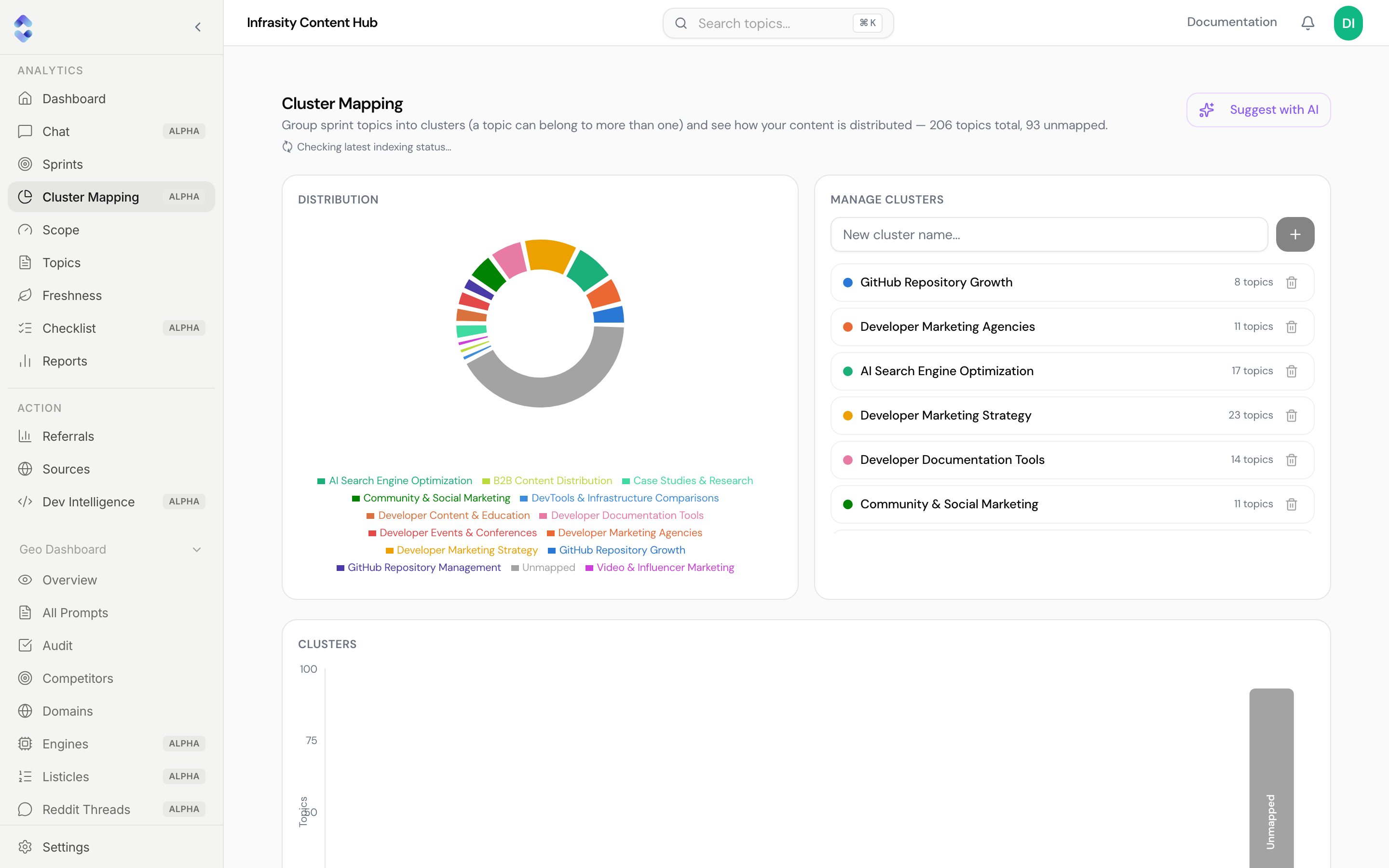
The subtitle summarizes the state of your library, e.g. "206 topics total, 93 unmapped". A note underneath ("Checking latest indexing status…") appears while the page refreshes indexing information.
Distribution
A donut chart showing how topics are split across clusters, with a legend. The grey Unmapped slice is topics that don't belong to any cluster yet. Below it, a Clusters bar chart shows the same data as topic counts per cluster.
Manage clusters
- Type a name into New cluster name… and click + to create a cluster.
- Each cluster shows its color and topic count. Expand a cluster to see the topics mapped to it ("No topics mapped yet" if it's empty).
- The trash icon deletes a cluster. Topics that were only in that cluster fall back to Unmapped; topics also mapped to another cluster keep that mapping.
Suggest with AI
Suggest with AI asks the AI to propose mappings. It only runs when you click it; it never runs automatically. Suggestions come in two groups, and each follows a review-then-approve pattern:
- Matches to existing clusters: new topics the AI thinks fit a cluster you already have. Suggestions are grouped by cluster, so you can open one, review its proposed topics, and click Approve to map them all at once. A topic can have up to two suggested clusters.
- Suggested new clusters: groupings the AI found among your unmapped topics, based on subject rather than just shared words. Click a candidate to review its topics, then approve it to create the cluster.
Nothing changes until you approve
Suggestions are proposals only. No topic is mapped until you click Approve. If the AI finds no clear grouping among unmapped topics, it says so instead of forcing one.
Unmapped topics
Below the suggestions, a searchable list ("Search title or keyword…") lets you find unmapped topics and assign them to clusters manually.
Content Planning clusters aren't GEO clusters
These clusters organize your content library. The clusters on the GEO Dashboard are sets of prompts tracked for AI citations. They're related ideas but are managed separately.