
Freshness
Track and manage content freshness to maintain SEO relevance.
Freshness is where a topic's lifecycle ends up once it's live: as covered in Sprints, a published topic is tracked here instead of by its old sprint status, using a Fresh or Stale pill based on time since publish rather than a further planning stage. Every published topic is checked against how long it's been since publish and flagged, so stale content is easy to spot and prioritize for a refresh.
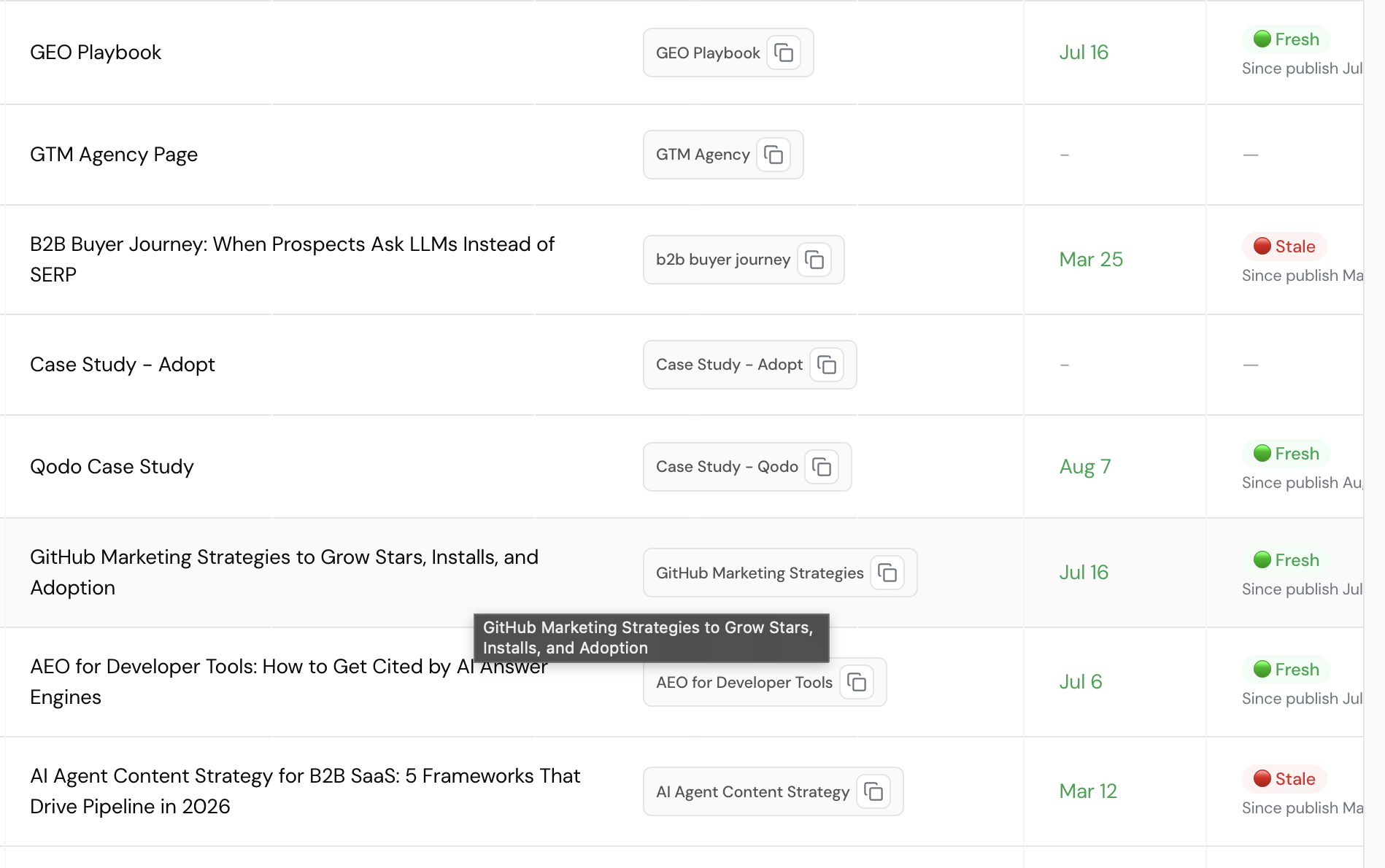
Columns
- Topic: the article's title.
- Keyword: the focused keyword, with a copy-to-clipboard icon.
- Publish date: the date the article went live.
- Freshness: a status pill:
- 🟢 Fresh: recently published or updated.
- 🔴 Stale: published long enough ago that it may need a content refresh.
- Each pill is paired with "Since publish [date]", showing time elapsed.
Freshness only applies to published topics
Topics with no publish date show – for both the date and freshness columns rather than a status: freshness can't be calculated until a topic has actually gone live.
Why freshness matters
Search engines and AI models both weigh recency: an article that hasn't been touched in a long time is more likely to cite outdated statistics, reference product details that have since changed, or simply rank behind a competitor's more recently updated take on the same topic. Freshness turns "has this gotten stale" from something someone has to remember to check into something the list surfaces on its own.
Fresh/Stale threshold is unverified
It's not confirmed here exactly how long after publish a topic flips from Fresh to Stale, or whether that cutoff is uniform across all content or varies by type. Two examples seen: Jul 16 still reads Fresh, Mar 25 reads Stale. Confirm the actual cutoff before documenting a specific day count.
Refreshing a stale topic
Refreshing typically means going back to a published topic, updating anything time-sensitive (statistics, screenshots, product details), and republishing under the same URL rather than creating a new topic. Not every topic needs the same refresh cadence: a foundational guide meant to stay evergreen usually warrants a different review schedule than a timely or news-style piece, though the specific cadence per content type isn't something this view enforces or recommends automatically.