
Scope
Track contracted deliverables against what's been delivered, month by month.
Scope compares what's been contracted for a sprint (the quotas from a signed statement of work) with what's actually been delivered, and tells you whether you're on pace for the month. It's the page to open when a client asks, "Are we getting everything we're paying for?"
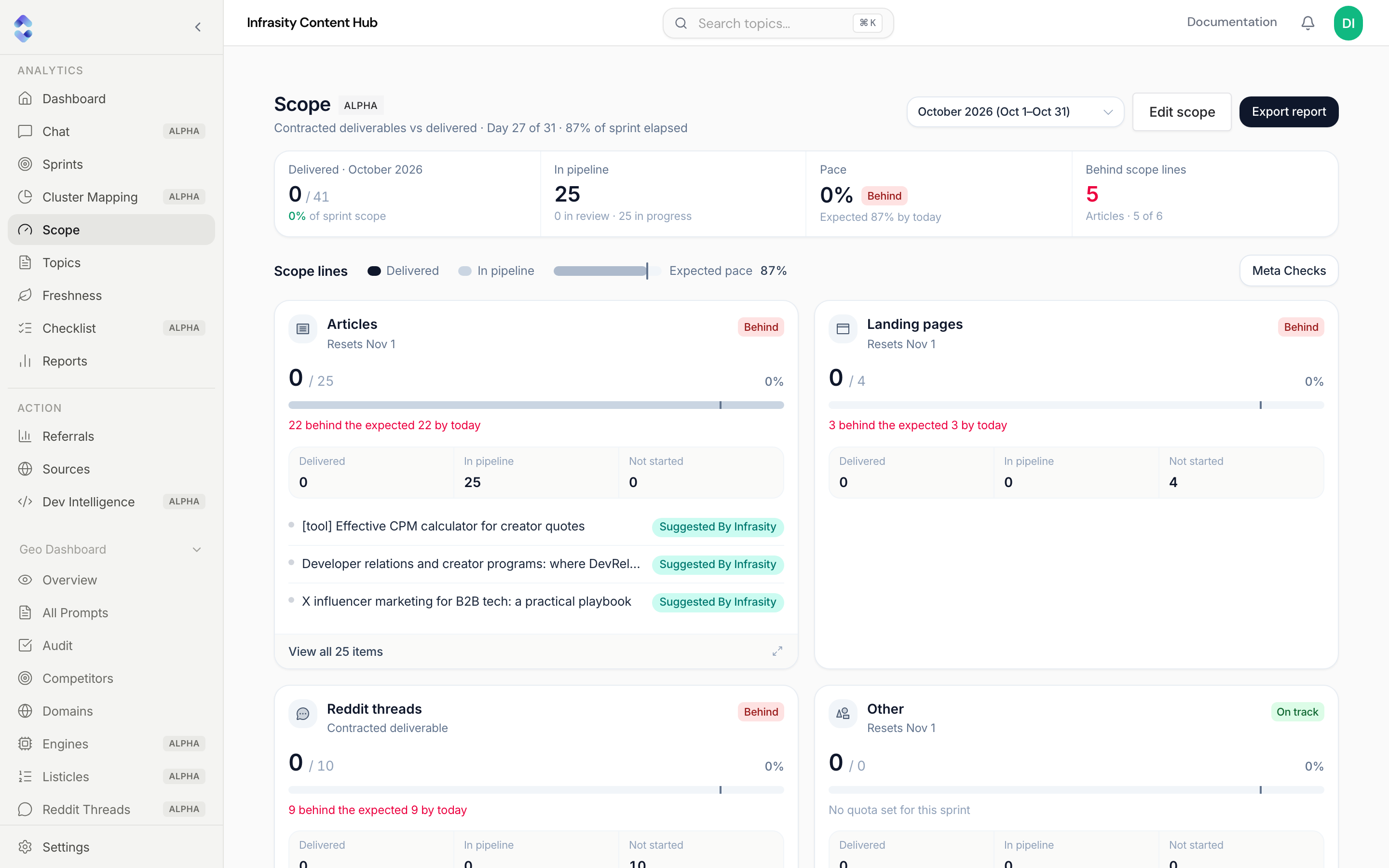
Header
- Sprint selector: choose the sprint (month) you want to review, e.g. October 2026 (Oct 1–Oct 31). The subtitle shows how far through the sprint you are, e.g. "Day 27 of 31 · 87% of sprint elapsed".
- Edit scope: opens the scope editor (see Editing scope).
- Export report: exports the scope report for the selected sprint.
Summary cards
- Delivered: topics delivered this sprint out of everything in scope, with the percentage.
- In pipeline: work that's started but not yet delivered, split into in review and in progress.
- Pace: delivered percentage with a status pill, and the pace you should have reached by today ("Expected 87% by today").
- Behind scope lines: how many deliverable types are behind, with an example (e.g. "Articles · 5 of 6").
Scope lines
Each contracted deliverable type gets its own card (Articles, Landing pages, Reddit threads, and so on). A card shows:
- A status pill and when the quota resets (e.g. "Resets Nov 1"), or "Contracted deliverable" for non-recurring items.
- Delivered / quota with a progress bar. A tick on the bar marks the expected pace for today.
- A plain-language gap, e.g. "22 behind the expected 22 by today", "On pace", or "3 ahead of the expected 12 by today".
- A Delivered / In pipeline / Not started breakdown.
- The first few items on that line, and View all N items to expand the full list.
The Meta Checks button above the cards jumps to the sprint's Meta Checks tab.
Status pills
| Status | Meaning |
|---|---|
| On track | Delivered percentage is at or above the expected pace, or there's no quota for this line. |
| At risk | Slightly under the expected pace (within 20 percentage points). |
| Behind | Well under pace, an item is overdue, nothing has been delivered after the sprint is half over, or the sprint has ended with the quota unmet. |
| Complete | Delivered exactly matches the quota. |
| Over | Delivered more than the quota. |
Behind can trigger early
A line is marked Behind if it has delivered nothing once more than half the sprint has passed, even if the numbers would otherwise look recoverable. A single overdue item on a line also forces it to Behind.
Editing scope
Edit scope opens Contracted scope for this tenant. The lines here define exactly which cards appear on the Scope page. Each line has:
- Deliverable type: Articles, Landing pages, Distribution drafts, Figma designs, Doc pages, Reddit threads, GitHub, Dev, or Listings.
- Monthly quota: how many are contracted per month.
- Rollover: whether unused quota carries into the next month.
- Effective from: the date the quota starts applying.
- Notes: free text.
If nothing is set up yet, the page shows Set up contracted scope with an Add scope line button.
Only agency accounts can set up scope
The Add scope line button in the empty state is shown to agency accounts only. If you don't see it, ask your account owner to add the lines.